
How it works

From a list of addresses to a planned week in one afternoon.

Here is the whole thing, in the order you'll actually do it: set up the company, bring in your clients, build the week, run each day, and prove the work.

Step 1 · Set up

Open your company in five minutes.

Download the app, tap Open my company, and enter your name, company name and email. That starts a 7-day free trial — no payment needed. A "Finish setting up" card then walks you through the rest.

1

Your shop

Where the trucks leave from. Every route is ordered and timed from here.

2

Your crews

Name each crew, how many people are on it, and which days it works.

3

Your clients

Import your list, or add properties one at a time with address suggestions as you type.

4

Your routes

Open the route builder, check the plan, tap Apply. Monday is ready.

Step 2 · Bring in clients

Your list, the way you already have it.

Paste a list, or choose a spreadsheet, PDF or photo. RoundOps reads the name, address, phone, price, how often you visit, service day, crew and notes, then shows you every row to check before anything is added.

  • Exports from Jobber, Yardbook, Service Autopilot and QuickBooks read as they are.
  • Street-only rows get the city and state added in one tap.
  • A property already on your list is marked "Already a client" and left alone.
  • Up to 1,000 rows per import.
Everything about switching
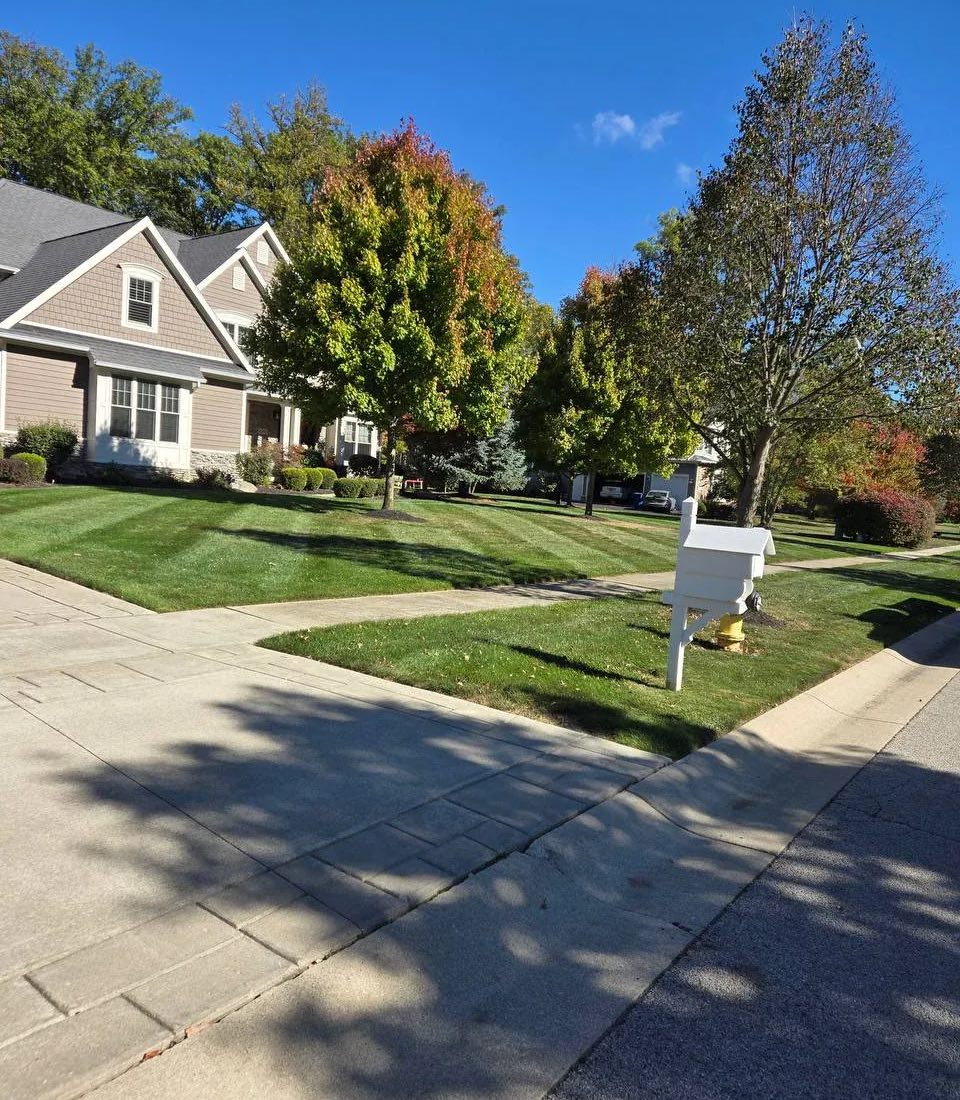
A tidy front lawn on a residential street in fall
Step 3 · Build the week

The route builder does the kitchen-table part.

Tell RoundOps the days you work, hours in a day, minutes per stop and your crews. It lays the whole week out on a map — every property on a day and a crew, in driving order from your shop — and says when a day needs another crew.

Real road times

Routes are ordered and timed by actual driving, not straight lines, so the plan matches what the truck does. Ohio is covered today; other areas use distance until we add their maps — ask and we'll add yours.

Tap a pin to move it

Move any stop to another day or crew. It locks where you put it, and the rest of the plan works around it. Your local knowledge beats the math, and the builder knows it.

Spread or Fill

Spread across the week balances every work day. Fill days packs the early days and shows you which days come free.

Minutes per visit

Set how long each property takes, or let RoundOps learn it from your crews' own completion times. Mark a property "first stop of the day" and it leads its route.

Crews are real

Each crew has a name, a size and its working days. The builder tells you plainly when "Tuesday needs about 3 crews and 1 works that day."

Nothing changes until you tap Apply

Preview as many what-ifs as you like — more crews, longer days, different hours. Your live routes stay put until you apply the plan. Existing routes can be kept as they are.

Managers can also run the route builder and imports from the web app on a computer.

Step 4 · Run the day

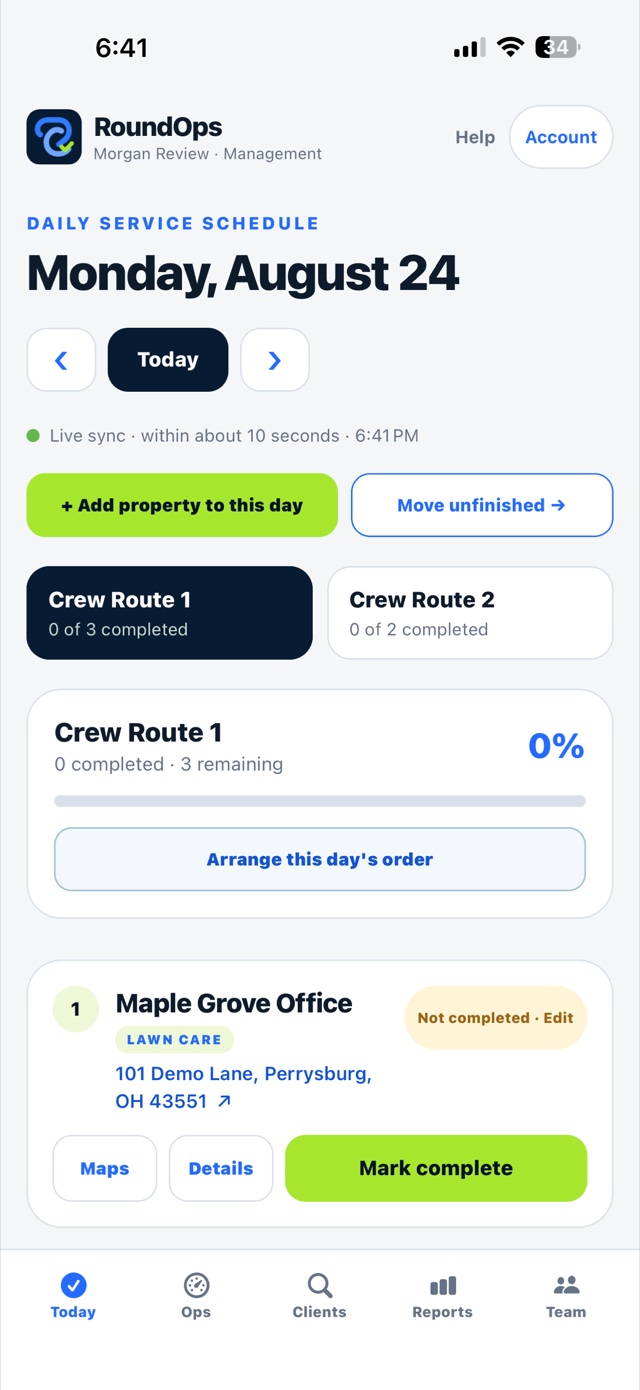
The Today page: one crew, one list, in order.

Each crew opens the app and sees its own route for today in driving order. No scrolling through other crews' work, no wondering what's next.

  • Client name, service type, property instructions, notes and photos at every stop.
  • Tap the address to open Apple Maps or Google Maps.
  • Tap Mark complete. The date, time and team member are recorded on the server.
  • Called off or skipped? Pick the reason. It shows in the day view and the monthly report.
  • Move unfinished carries leftover stops to the day and crew a manager picks.
  • Managers can add a property to today at an exact position, or arrange the day's order.
  • Live sync: everyone's phone agrees within about half a minute.
The Today screen showing the crew's first stop with Maps, Details and Mark complete buttons
Step 5 · Prove the work

Photos, notes and a monthly report for every client.

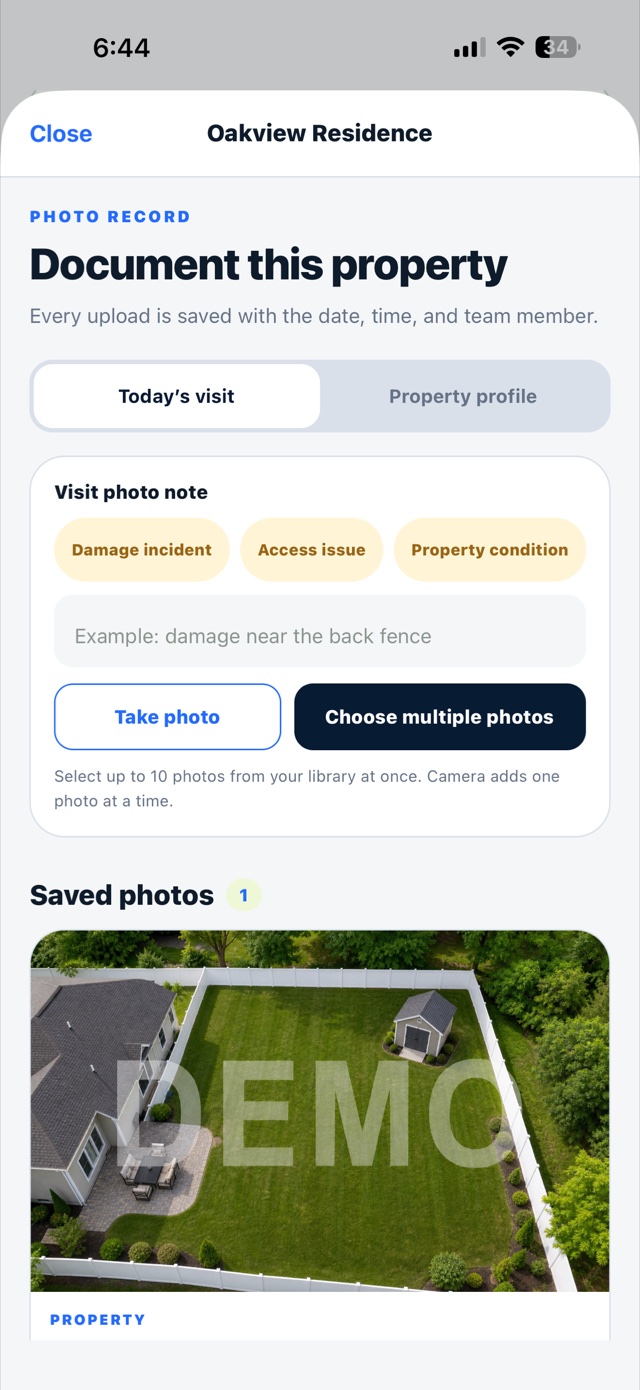
Crews take photos or choose up to 10 from the library at any stop. Every upload is saved with the date, time and team member, and tagged as a damage incident, access issue or property condition when it matters.

  • Visit photos for today, plus a permanent property profile for gate codes and "what it should look like."
  • Monthly client activity: completed visits, completion times, notes and not-serviced reasons.
  • Share a proof-of-service CSV from your phone when a customer or property manager asks.
  • Filter by service day, crew route or service type.
The photo record screen for a property with Take photo and Choose multiple photos buttons and a saved aerial photo
Your team

Crew sees the route. Management sees everything.

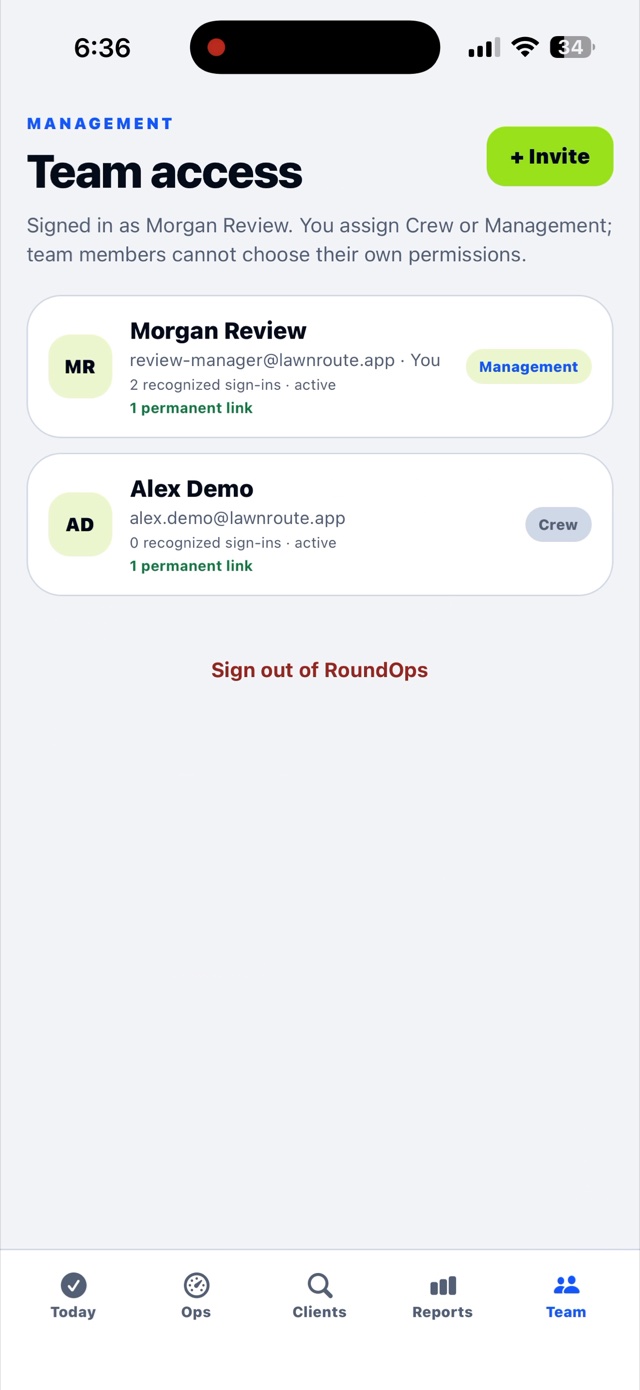
You choose Crew or Management for each person before you invite them. Team members can't change their own permissions, and you can remove any phone from the Team screen.

The Team access screen listing a Management member and a Crew member with an Invite button

Invite with a link or code

No passwords to reset. A crew member opens the link, and that phone stays signed in until you remove it. Codes can be reused for a replacement phone and revoked any time.

Crews see what they need

Crew members see their routes, instructions, notes and photos. Pricing, billing notes and team management are for Management only.

15 people included

Only the owner pays. Managers and crews join free. Past 15 people, each additional person is $7 a month.

Built for the field

Things that only matter when you're standing on the lawn.

Works without signal

Seven days of routes are saved on the phone. Completions, notes and photos queue up and send themselves when the signal comes back. You can see what's waiting and retry any time.

Rain days don't lose work

Move every unfinished stop, or just the ones you pick, to the date and crew you choose. Nothing falls off the schedule.

Every property on the map

Addresses are pinned automatically. If one won't pin, set it by hand. A "you are here" dot helps a new crew find the property — and it never leaves the phone.

Private by design

No crew location tracking. Optional route-change alerts say only that the route changed — never a client name or address on a lock screen. Delete your account from inside the app any time.

Help built in

A searchable Help Center with 99 step-by-step answers, sorted for crew members and for owners and managers. No client information needed to read it.

Any recurring route

Lawn care, snow and ice, pest control, fertilization, pool service, cleaning, inspections. Weekly, every two weeks, every few weeks or monthly — each property keeps its own schedule.

Try it on one crew this week.

Open your company, import one route, and hand a phone to the crew lead. If it doesn't earn its place in the truck, nothing is charged.

Download on the App Store

7-day free trial · $29/month for the whole company · iPhone (iOS 16.4 or later)

See pricing
7-day free trialThen $29/month, whole company
Download on the App Store